
Make an Audio Spectrum
Make a ring of points expand with the frequencies in a song. Use an audio file of your choice and the supplied starting patch.

1. Open the patch
Section titled “1. Open the patch”Download the spectrum patch and open
it with File > Open.... It contains a cyan OSC feeding POINTCLOUD
with Shape set to Spectrum.
2. Play a song
Section titled “2. Play a song”Choose File > Open Song... and select an audio file. Click PLAY on the
song strip beneath the toolbar, or press Space.
The ring expands with the music. Space pauses and resumes playback.
Click anywhere on the waveform to move the playhead; the bar along its
top moves and resizes the loop.

- PLAY / PLAYING
If the ring stays still, check that the song is playing and that
Settings > Audio has Source set to File.
3. Shape the response
Section titled “3. Shape the response”Select POINTCLOUD in Chain. Increase Height for a stronger response;
adjust Smoothing to change how quickly the peaks fall.
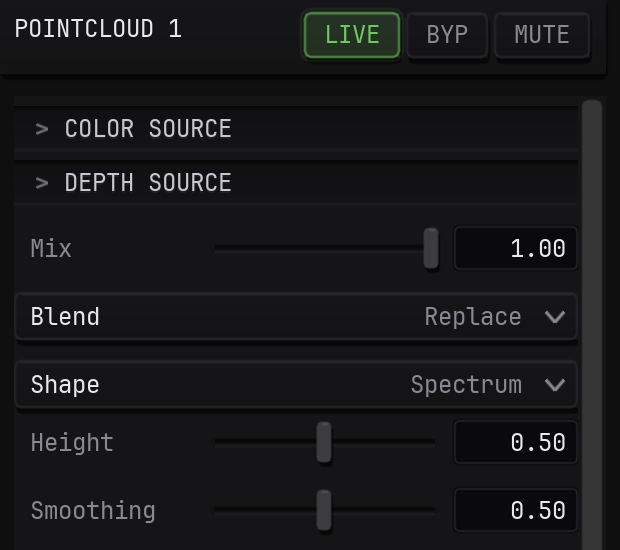
- Height
- Smoothing
To include the song when sharing your patch, enable Embed assets in save files in Settings > Patches before saving. Choose File > Save As...
to keep your version.
For live input, choose a device or application in Settings > Audio. See POINTCLOUD for the other shapes and rendering controls.
To drive individual parameters with audio level or frequency bands, see Audio-Reactive.